Top 5 Budget Cameras for Video Creators in 2026
Not long ago, getting a “real” video camera meant paying real money — 10-bit color, high frame rates, and dependable autofocus were things you saved up for. That’s changed. In 2026, you can get cinema-grade features without a cinema-sized budget, whether you’re launching a YouTube channel, shooting music videos, or building a videography business on the side.
Here’s how the top budget contenders stack up:
| Camera | Sensor | Max Resolution | Best For |
|---|---|---|---|
| Sony ZV-E10 II | APS-C | 4K 60p (10-bit) | Best overall creator camera |
| Fujifilm X-M5 | APS-C | 6.2K open-gate / 4K 60p | Best for color and vertical video |
| Canon EOS R50 V | APS-C | 4K 60p / C-Log 3 | Best beginner vlogging hybrid |
| Sony FX30 | Super 35 | 4K 120p (Cinema Line) | Best serious budget cinema camera |
| Panasonic Lumix S5II | Full-frame | 6K open-gate / 4K 60p | Best full-frame value |
1. Sony ZV-E10 II — Best Overall Budget Camera
If autofocus and lens choice matter most to you, this is the easy pick. It’s built around Sony’s well-proven 26MP APS-C sensor, and Sony ditched the viewfinder entirely to keep the body small and light.
Specs: 4K up to 60p, 10-bit 4:2:2 internal recording, real-time eye AF, fully articulating screen.
Why it’s good: Sony’s E-mount library is enormous — hundreds of lenses from Sony itself plus Sigma, Tamron, and Viltrox, at every price point. The 10-bit color means you can shoot S-Log3 and grade the footage afterward without the banding you’d get from an 8-bit sensor.
Pros: excellent eye-tracking autofocus; 10-bit 4:2:2 color; huge lens selection. Cons: no viewfinder; no in-body stabilization.
2. Fujifilm X-M5 — Best for Open-Gate Recording and Color
The X-M5 is built for creators publishing the same shoot everywhere — YouTube, Reels, TikTok — without reshooting for each format. Its 26.1MP X-Trans sensor captures 6.2K open-gate footage, which basically means it records the full height of the sensor so you can crop vertical and horizontal versions from one take.
Specs: 6.2K open-gate up to 30p, 4K 60p, 20 film simulation modes, AI subject recognition.
Why it’s good: Fuji’s film simulations give you a finished, cinematic look straight out of the camera, cutting down on color grading time. Combined with open-gate recording, one shoot covers multiple platforms.
Pros: open-gate footage for easy multi-platform cropping; strong built-in color profiles; compact, good-looking body. Cons: battery life suffers on long 4K sessions; stabilization is digital only.
3. Canon EOS R50 V — Best for Smartphone Upgraders
If you want Canon’s color science and autofocus reputation without wrestling with a complicated menu, this is the one. It’s aimed squarely at people moving up from phone footage into interchangeable-lens video.
Specs: 24.2MP APS-C sensor, Dual Pixel CMOS AF II, uncropped 4K oversampled from 6K, C-Log 3.
Why it’s good: Dual Pixel AF II is genuinely reliable, even in dim conditions, and C-Log 3 gives editors more dynamic range to play with in Premiere or Resolve.
Pros: top-tier autofocus tracking; natural skin tones out of camera; simple, fast menu system. Cons: RF-S lens options are still thin next to Sony’s E-mount; no in-body stabilization.
4. Sony FX30 — Best Budget Cinema Camera
For short films, commercial work, or client documentaries, the FX30 is the closest thing here to real cinema gear. It’s part of Sony’s Cinema Line, so it’s built around heat management, mounting points, and pro audio — not stills.
Specs: Super 35 back-illuminated sensor, 4K up to 120p, dual base ISO (800/2500), S-Cinetone color, tally lights, active cooling.
Why it’s good: the built-in cooling fan means you can record 4K for as long as you need without overheating — a real limitation on most mirrorless bodies. Dual card slots and full-size HDMI round it out for professional workflows.
Pros: no overheating limits; cinema-grade tools (S-Cinetone, dual base ISO, 4K 120p slow motion); rigging points built into the body. Cons: pricier than the vlogging-focused options; no mechanical shutter, so it’s not great for stills.
5. Panasonic Lumix S5II — Best Full-Frame Value
If you want full-frame depth of field, strong low-light performance, and stabilization that actually holds up handheld, the S5II is still the best-value full-frame option out there.
Specs: 24.2MP full-frame sensor, phase hybrid autofocus, 6K 30p open-gate, 4K 60p, Active I.S. stabilization.
Why it’s good: Panasonic finally fixed its autofocus reputation with phase hybrid AF, and paired with Active I.S., handheld footage looks close to gimbal-smooth.
Pros: class-leading in-body stabilization; full-frame shallow depth of field and clean low light; full-size HDMI and solid weather sealing. Cons: heavier and bulkier than the APS-C options; 4K 60p comes with an APS-C crop.
What to Weigh Before Buying
10-bit vs. 8-bit color: if you’re planning to grade Log footage, 10-bit is worth prioritizing — it holds over a billion colors versus roughly 16.7 million in 8-bit, which is the difference between smooth skies and visible banding.
Autofocus: if you’re shooting solo, reliable eye and face tracking will save you far more time than any other spec on this list.
Audio inputs: a 3.5mm mic jack or digital shoe interface matters more than most people expect — viewers forgive rough video far more easily than bad audio.
APS-C vs. Full-Frame: Which Sensor Size Should You Choose?
On a budget, one of the bigger forks in the road is APS-C versus full-frame.
APS-C (crop sensors) are smaller, which lets manufacturers build lighter bodies and much cheaper lenses. For beginners and solo creators, this is usually where the value is — a 35mm or 50mm f/1.8 prime on an APS-C body already gives you rich background blur without spending thousands on glass.
Full-frame sensors capture more light thanks to larger pixels, so they pull ahead in tough low-light conditions. You also get a wider field of view and shallower depth of field. The trade-off is that full-frame cinema lenses get heavy, bulky, and expensive fast.
Unless you’re regularly shooting low-light events or high-end commercial work, a modern 10-bit APS-C camera — the Sony ZV-E10 II or Fujifilm X-M5, say — gets you most of the way to full-frame image quality at roughly half the setup cost.
Must-Have Accessories for Your Budget Camera Rig
The camera body is just the starting point. Three accessories do the most to push your footage toward a genuinely cinematic look:
- Fast prime lenses. Retire the kit lens as soon as you can afford to. An f/1.4 or f/1.8 prime — a 35mm equivalent is a good all-rounder — gives you a natural field of view that works well for talking-head videos, interviews, and cinematic B-roll.
- Variable ND filters. Shooting in bright sunlight while sticking to the 180-degree shutter rule (shutter speed roughly double your frame rate — 1/50s at 24fps, for instance) usually means overexposing unless you cut the light some other way. A variable ND filter works like sunglasses for your lens, letting you shoot wide open at f/1.8 outdoors without blowing out the highlights.
- Dedicated audio gear. People will forgive so-so 1080p video. They won’t forgive echoey, muffled audio — that’s what actually drives viewers away. A wireless lavalier mic or an on-camera shotgun mic with wind protection makes a bigger difference than almost any camera upgrade.
Recommended Settings for Cinematic Footage Straight Out of the Box
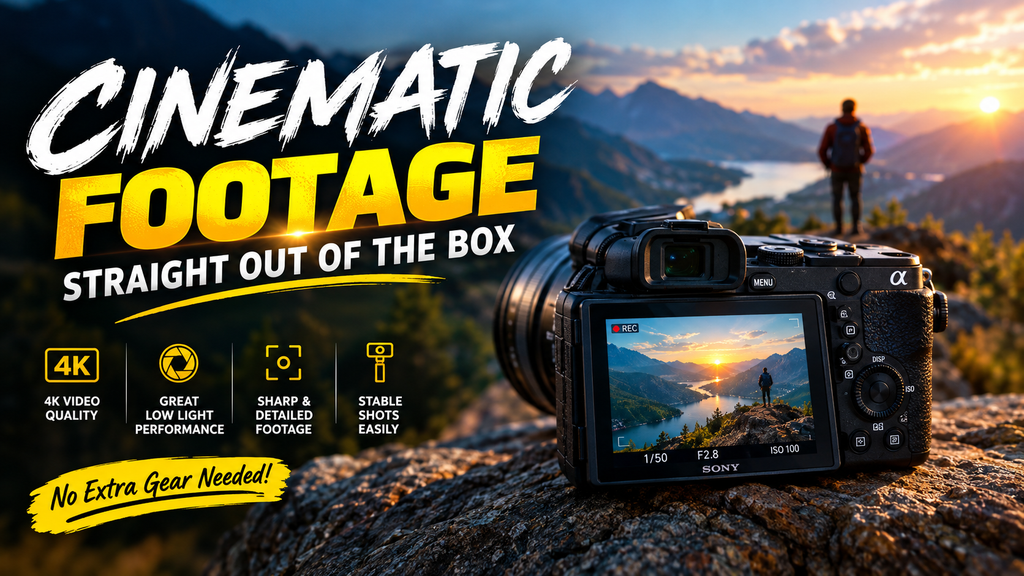
Once you’ve unboxed the camera, get out of Auto and into Manual video mode, then set these:
- Frame rate: 24fps (or 23.976fps) for that standard cinematic motion, or 60/120fps if you want the option to slow footage down in the edit.
- Shutter speed: roughly double your frame rate — 1/50s at 24fps, 1/120s at 60fps — to keep motion blur looking natural.
- Color profile: a 10-bit Log profile (S-Log3, C-Log3, V-Log) if you’re planning to grade in post. If you’d rather skip grading entirely, flatter-but-finished profiles like S-Cinetone or Fujifilm’s Eterna give you a good look with minimal editing.
FAQ
Do I actually need 4K, or is 1080p enough in 2026?
Most people are watching on phones, where 1080p already looks sharp. But shooting in 4K gives you room to crop, reframe, and punch in during editing without losing quality in your final 1080p export — it’s really about flexibility, not resolution for its own sake.
How do I keep a budget mirrorless camera from overheating on long shoots?
A few things help: tilt the LCD away from the camera body to let heat escape, turn off Wi-Fi and Bluetooth, use fast V60/V90 memory cards, and power the camera over USB-C instead of running it purely off the internal battery.
Bottom Line
For most people just getting started, the Sony ZV-E10 II hits the best balance of price, autofocus, and lens options. If you’re leaning toward commercial or narrative work, the Sony FX30 or the full-frame Panasonic Lumix S5II will give you the dynamic range and reliability that client work demands.